
The 30 Best AI Tools for 2026: Ultimate Productivity Guide
Welcome to 2026—the year artificial intelligence has moved from novelty to necessity. Three years after ChatGPT ignited the AI boom, we’ve witnessed a seismic shift from simple chatbots to agentic AI systems that autonomously take actions to achieve complex goals.
Whether you’re a content creator, developer, marketer, or business professional, navigating the crowded AI tool landscape can be overwhelming. That’s why we’ve spent months testing dozens of platforms to bring you this definitive guide to the best AI tools of 2026—organized by category, ranked by performance, and vetted for real-world utility.
Quick Stat: Over 70% of professionals now use at least one AI tool daily, with productivity gains averaging 40% across industries.
📋 Table of Contents
- S-Tier AI Assistants (The Big 3)
- Content Creation Powerhouses
- Video & Multimedia AI
- Developer & Coding Tools
- Research & Knowledge Management
- Productivity & Automation
- Design & Creative Tools
- SEO & Marketing Optimization
- Emerging: Agentic AI
- How to Choose Your Stack
🏆 S-Tier AI Assistants: The Foundation of Your Stack
These three AI assistants form the backbone of modern productivity. You need at least one in your toolkit.
1. Claude (Anthropic) — Best for Coding & Writing
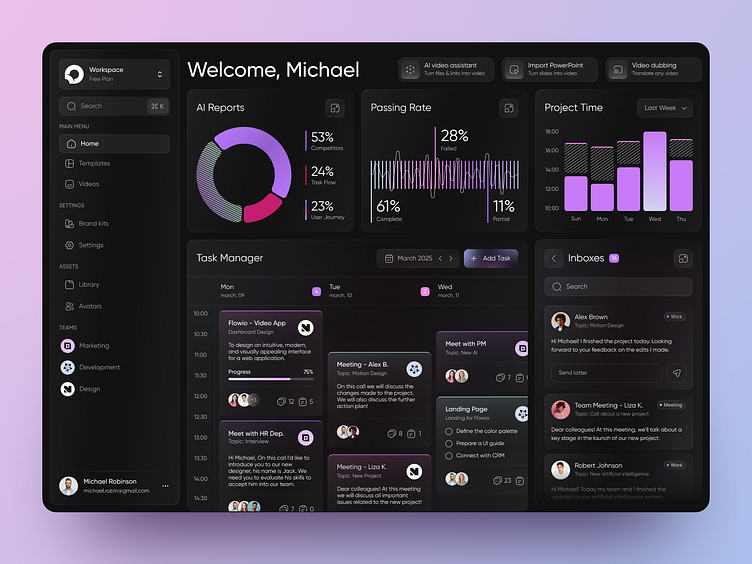
Why It Tops Our List: Claude has emerged as the developer’s favorite in 2026. Unlike competitors, Claude produces cleaner, well-documented code with fewer hallucinated variables or broken logic.
Key Features:
- Claude Code: Specialized coding assistant with real-time debugging
- Extended Thinking Mode: Deep reasoning for complex problem-solving
- 1M+ Token Context: Process entire codebases or lengthy documents
- Artifact Viewer: Live preview of documents and code outputs
Best For: Software development, technical writing, academic research, and complex data analysis.
Pricing: Free tier available; Pro at $20/month; Max plan from $100/month.
2. ChatGPT (OpenAI) — Best for Deep Research & Voice
The pioneer remains relevant through continuous innovation. ChatGPT’s Deep Research feature and advanced Voice Mode set it apart for comprehensive information gathering.
Standout Capabilities:
- Real-time web browsing with source citations
- Advanced voice conversations with emotional nuance
- Custom GPTs for specialized tasks
- Superior plugin ecosystem
Pricing: Free tier; Plus at $20/month; Pro at $200/month.
3. Gemini (Google) — Best for Multimodal Tasks

The Context Window Champion: Gemini leads the LLM Arena rankings with its massive 1M+ token context window—allowing you to upload entire academic papers and ask detailed follow-up questions without losing coherence.
Unique Features:
- Audio Overviews: Convert documents into podcast-style summaries
- Nano Banana Pro: State-of-the-art image generation integration
- YouTube Integration: Analyze video content directly
- Google Workspace: Seamless Docs, Sheets, and Gmail integration
Pricing: Free tier; Pro at $19.99/month; Ultra at $124.99/month.
✍️ Content Creation Powerhouses
4. Jasper — The Marketing Copy Specialist
Jasper has evolved beyond basic blog writing into a comprehensive marketing command center. With brand voice training and campaign management, it maintains consistency across all touchpoints.
Key Features:
- 50+ content templates (blogs, ads, emails, social)
- SEO mode with Surfer SEO integration
- Brand voice customization
- Collaboration tools for teams
Pricing: From $49/month.
5. Copy.ai — The GTM (Go-To-Market) Platform
Copy.ai has repositioned itself as a sales and marketing automation engine. The “Prospecting Cockpit” automatically researches leads, while “Inbound Lead Processing” scores and routes opportunities.
Best For: Sales teams, outbound campaigns, and marketing automation—not long-form blogging.
Pricing: Free tools available; Chat plan from $29/month.
6. Sudowrite — For Creative Writers & Novelists
Unlike business-focused tools, Sudowrite serves fiction authors and storytellers. The “Story Bible” tracks characters and plot points, while the “Describe” button adds sensory richness to scenes.
Pricing: From $19/month (Hobby & Student plan).
7. Nano Banana Pro — Best Overall Image Generator
The 2026 Gold Standard: Google’s Nano Banana Pro (powered by Gemini 3 Pro Image) excels at character consistency and photorealism—critical for branding and professional use.
Why It Wins:
- Unmatched character consistency across multiple generations
- Superior text rendering in images
- Integration with Google Workspace
- Free tier with upgrade options from $20/month
8. Midjourney V7 — For Artistic & Conceptual Work
Midjourney remains the creativity king for highly detailed, artistic imagery. While less realistic than Nano Banana, it produces breathtaking conceptual art, fantasy scenes, and abstract designs.
Pricing: Plans from $10/month.
9. Adobe Firefly Image Model 5 — For Professional Creators
Integrated into Creative Cloud, Firefly offers commercial-safe training data—essential for businesses avoiding copyright issues. The latest Model 5 delivers versatile styles perfect for marketing materials.
Pricing: From $10/month; included in many Adobe plans.
🎬 Video & Multimedia AI
10. Synthesia — AI Video Production at Scale
Create professional videos without cameras, actors, or studios. Synthesia’s AI avatars speak 120+ languages with natural lip-syncing—ideal for training, marketing, and personalized outreach.
Key Features:
- 230+ diverse AI avatars
- Custom avatar creation (clone yourself)
- Automatic translations
- PowerPoint and PDF-to-video conversion
Pricing: From $29/month (annual billing).
11. Google Veo — Next-Gen Video Generation
Google’s answer to Runway, Veo produces high-definition video from text prompts with impressive motion consistency and cinematic quality.
12. OpusClip — Short-Form Video Automation
Transform long videos into viral shorts automatically. OpusClip identifies highlight moments, adds captions, and reformats for TikTok, Reels, and Shorts.
💻 Developer & Coding AI Tools
13. Cursor — The AI-First Code Editor
Built on VS Code, Cursor features predictive coding that anticipates your next edits. The composer can generate entire files from natural language descriptions, while the chat function understands your entire codebase.
Why Developers Love It:
- Context-aware suggestions across multiple files
- Natural language code generation
- Built-in debugging assistance
- Free tier for individual use
14. GitHub Copilot — The Industry Standard
With Xcode support added in 2026, Copilot now assists iOS developers alongside its existing strength in Python, JavaScript, and web frameworks. The new “Workspace” feature allows AI to understand entire project architectures.
Pricing: From $10/month; free for students and open source.
15. Lovable — AI App Builder
Describe your app idea in plain English, and Lovable generates production-ready code. From landing pages to full-stack applications, it handles frontend, backend, and database setup automatically.
🔍 Research & Knowledge Management
16. NotebookLM — Google’s Research Assistant
Upload documents, PDFs, and websites—NotebookLM creates an AI-powered knowledge base with source-grounded answers. The Audio Overviews feature generates podcast-style discussions between two AI hosts explaining your materials.
Best For: Students, researchers, and professionals digesting large volumes of information.
17. Perplexity — AI-Powered Search
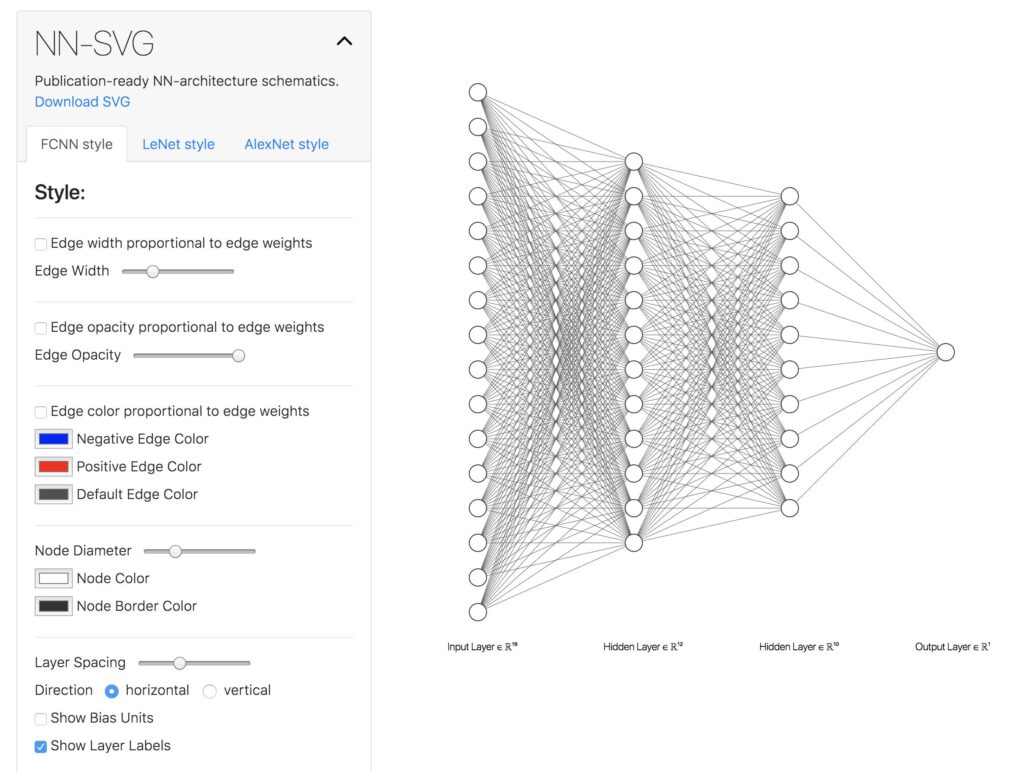
Perplexity combines real-time web search with AI synthesis, providing cited answers to complex queries. Unlike traditional search, it summarizes findings and suggests follow-up questions.
Pricing: Free tier; Pro from $20/month.
18. Elicit — Research Paper Analysis
Upload academic papers, and Elicit extracts key findings, methodologies, and limitations. It can synthesize conclusions across multiple studies—invaluable for literature reviews.
Pricing: From $10/user/month.
⚡ Productivity & Automation
19. Motion AI — Intelligent Task Management
Motion AI doesn’t just track tasks—it automatically schedules your day based on priorities, deadlines, and energy levels. The AI reschedules when interruptions occur, ensuring high-impact work gets done.
Pricing: From $29/user/month.
20. Notion Q&A — Knowledge Base AI
Ask questions about your entire Notion workspace in natural language. Notion Q&A retrieves information across pages, databases, and docs—eliminating the “where did I save that?” problem.
21. n8n — Open-Source Automation
The “fair-code” alternative to Zapier, n8n offers self-hosted workflow automation with AI capabilities. Connect 400+ apps and build complex logic without vendor lock-in.
22. Microsoft Copilot 365 — Office Integration
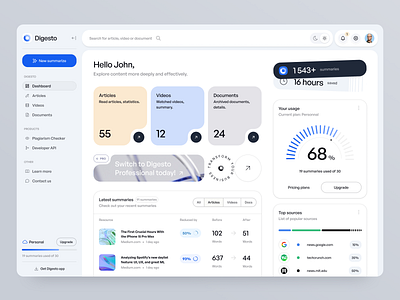
Embedded in Word, Excel, PowerPoint, and Teams, Copilot 365 transforms Office into an AI powerhouse. Generate presentations from outlines, analyze Excel trends in natural language, and summarize email threads instantly.
Pricing: From $30/user/month.
🎨 Design & Creative Tools
23. Canva Magic Studio — Democratizing Design
Canva’s AI suite includes Magic Write (copy generation), Magic Design (layout creation), and Magic Edit (image manipulation). The 2026 update adds video generation and brand consistency checking.
Pricing: Free tier; Pro from $13/month.
24. Looka — AI Brand Identity
Generate logos, business cards, and brand kits from a few preferences. Looka’s AI understands color psychology and industry trends to create cohesive visual identities.
📈 SEO & Marketing Optimization
25. Surfer SEO — Content That Ranks
Surfer analyzes top-ranking pages for your keywords, then guides AI writing with data-backed recommendations for word count, headings, and semantic keywords. The SERP Analyzer reveals exactly what Google rewards.
Pricing: From $79/month.
26. Ahrefs — The SEO Intelligence Platform
While primarily a traditional SEO tool, Ahrefs now enhances AI writing workflows by providing keyword data that informs prompt engineering. The Content Explorer identifies high-performing topics for AI to emulate.
Pricing: From $129/month.
27. AdCreative.ai — Conversion-Focused Ads
Generate hundreds of ad variations optimized for click-through rates and conversions. The AI predicts performance before you spend a dollar on ads.
🚀 Emerging Categories: Agentic AI & Specialized Tools
28. Manus — General AI Agent
One of the first true “agentic AI” tools, Manus can autonomously research topics, book appointments, send emails, and complete multi-step workflows with minimal supervision.
29. Deep Research (OpenAI) — Automated Investigation
Provide a research question, and Deep Research conducts comprehensive web investigations—synthesizing sources, identifying contradictions, and delivering cited reports in minutes rather than hours.
30. Fathom & Nyota — Meeting Intelligence
These tools don’t just transcribe—they extract action items, summarize decisions, and update CRMs automatically. Fathom offers real-time coaching during sales calls, while Nyota excels at team meeting management.
🎯 How to Choose the Right AI Tool Stack
Decision Framework by Role:
| Your Role | Essential Tools | Nice-to-Have |
|---|---|---|
| Content Marketer | Claude/ChatGPT, Jasper, Surfer SEO, Canva | Copy.ai, Midjourney |
| Software Developer | Claude, Cursor, GitHub Copilot | Lovable, n8n |
| Designer | Nano Banana, Canva, Adobe Firefly | Midjourney, Looka |
| Sales Professional | Copy.ai, Fathom, Perplexity | Motion AI |
| Researcher | NotebookLM, Elicit, Perplexity | Deep Research |
| Small Business Owner | Gemini, Canva, Grammarly, Motion AI | Synthesia |
🔮 The Future: AI Trends to Watch in 2026
- Agentic AI Expansion: Tools will move from answering questions to completing entire workflows autonomously.
- Multimodal Maturity: Text, image, video, and audio generation will converge into unified platforms.
- Personalization at Scale: AI will adapt to individual working styles, learning preferences, and communication patterns.
- Regulatory Compliance: Built-in copyright checking, bias detection, and ethical AI features will become standard.
✅ Conclusion: Building Your 2026 AI Toolkit
The best AI tools of 2026 share common traits: context awareness, multimodal capabilities, and seamless integration into existing workflows. Start with an S-tier assistant (Claude, ChatGPT, or Gemini), then layer specialized tools for your specific needs.
Remember: AI augments human capability—it doesn’t replace critical thinking. The professionals thriving in 2026 are those who leverage AI for efficiency while applying uniquely human creativity and judgment.
Ready to get started? Most tools on this list offer free tiers. Begin with one assistant and one specialized tool, then expand as you identify workflow bottlenecks.
What’s your favorite AI tool for 2026? Share in the comments below!
Related Articles:
- the-complex-dance-of-ai-and-elections-the-transformative-impact-of-ai-on-elections-enhancements-challenges-and-ethical-considerations/
- What Excіtеs Yоu Abоut Artіfіcіal Intеllіgеncе and Machіnе Lеarnіng | New hope!
- AI Tеchnоlоgіеs Examplеs: Innovative Ways to Use AI in Your Business
Last Updated: February 2026 | Disclosure: Some links may be affiliate links. We only recommend tools we genuinely use and trust.